Identify Unknown Objects
Point your camera at items, products, plants, or tools and get fast identification with practical context you can use right away.
World Lens helps you identify objects, translate text, recognize places, read printed content aloud, and scan QR codes from one simple camera flow. Point, scan, and get useful answers in seconds.
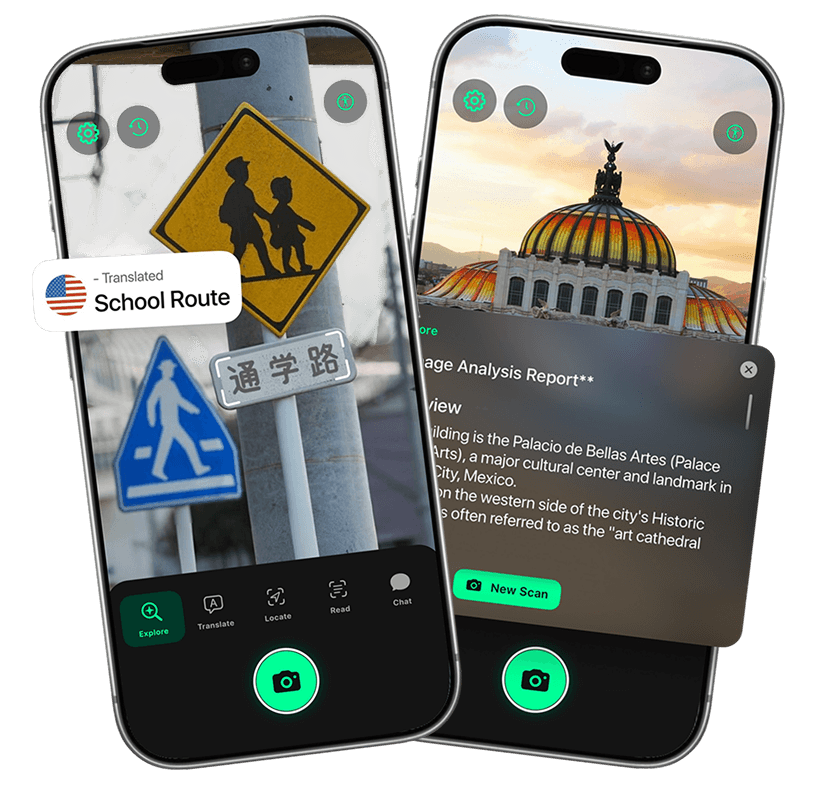
World Lens combines visual search, translation, OCR read-aloud, landmark recognition, and QR scanning so you can go from seeing to understanding without app-hopping.
Point your camera at items, products, plants, or tools and get fast identification with practical context you can use right away.
Read menus, signs, packaging, and printed text in unfamiliar languages directly from your camera view.
Identification is only the start. Ask about what you just scanned to get explanations, comparisons, and practical next steps.
Extract text from labels, notices, and printed materials, then listen with built-in read-aloud support.
Identify landmarks, open places in Maps, and scan QR codes or supported barcodes from the same camera flow.
Open the app, point your camera, and choose what you need: identify, translate, read aloud, scan a code, or ask follow-up questions.
Launch World Lens and point your camera at an object, sign, label, menu, place, or code.
World Lens analyzes what it sees and returns the right output for your task in seconds.
Read, listen, ask follow-up questions, or continue in Maps based on what you just scanned.
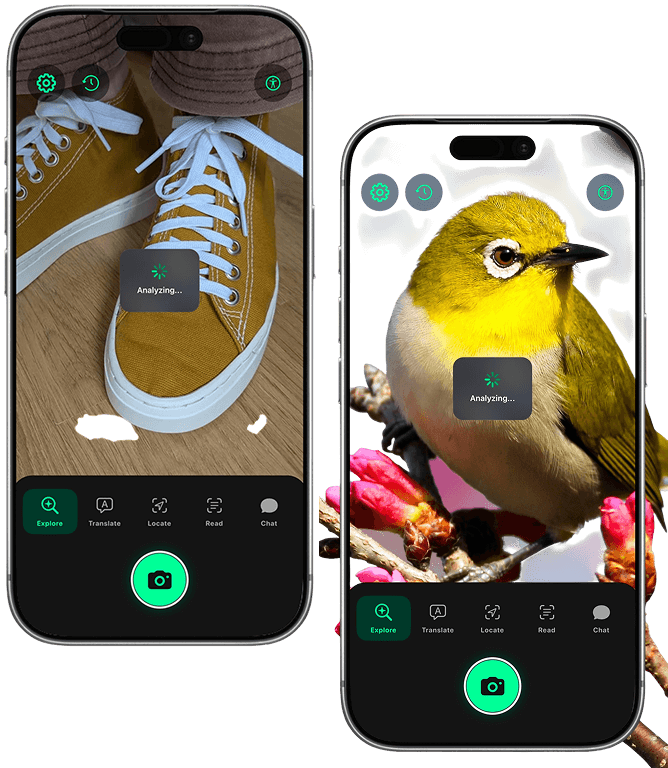
World Lens is built for a simple real-world moment: "What am I looking at?" If you see an unfamiliar item, product, plant, sign, or scene, point your camera and get a quick, useful explanation.
Identify products, plants, gadgets, and objects without typing keywords you may not know.
See practical context, not just a name, so you can understand what it is and why it matters.
Useful for shopping, travel, study, and day-to-day moments when you need answers quickly.
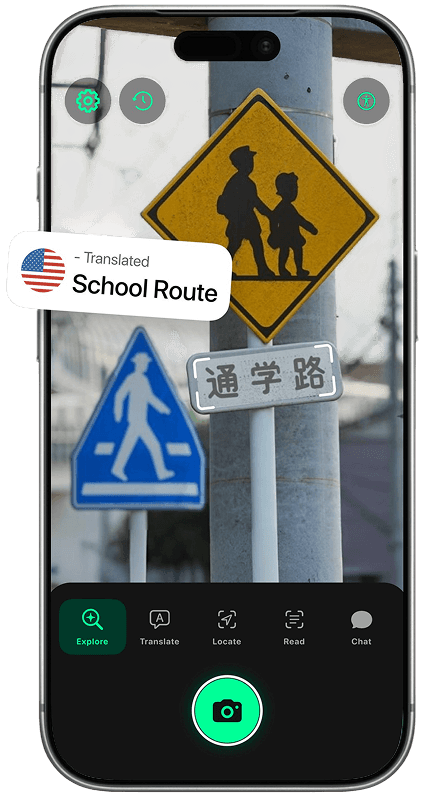
Point at menus, street signs, labels, and printed papers to get translation support in a faster, more practical flow. It is especially useful when traveling or reading foreign packaging on the move.
Understand foreign text quickly from real-world scenes without copying and pasting into another app.
Check ingredients, warnings, and instructions from labels you cannot read at a glance.
Read street signs, transit notices, and posted instructions while moving through unfamiliar places.
Capture printed text and hear it back clearly. World Lens uses OCR to read signs, papers, labels, and notices so everyday information is easier to access.
Scan text and listen immediately, helpful for low-vision support and hands-busy situations.
Extract usable text from mail, packaging, books, labels, and posted notices without retyping.
Built to reduce friction so users can access surrounding information more independently.
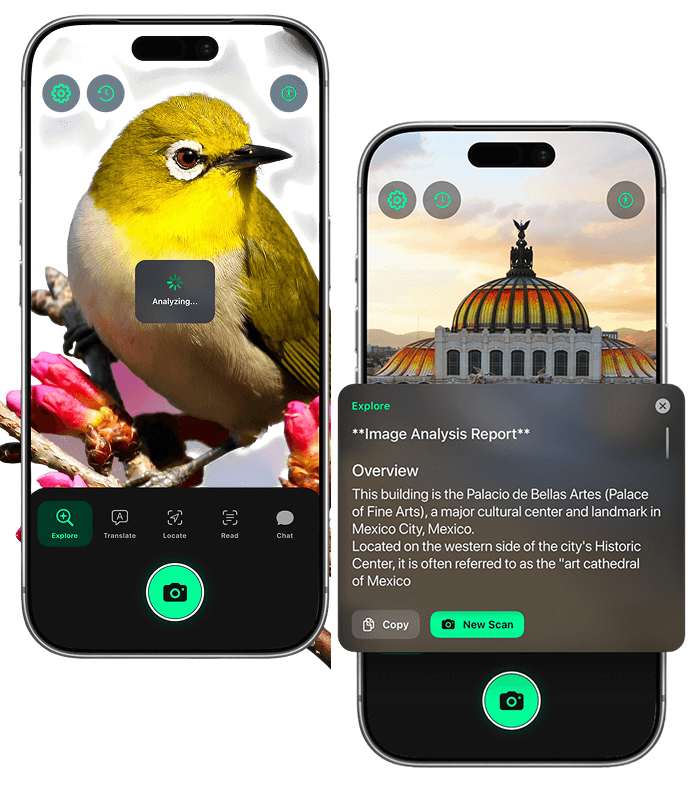
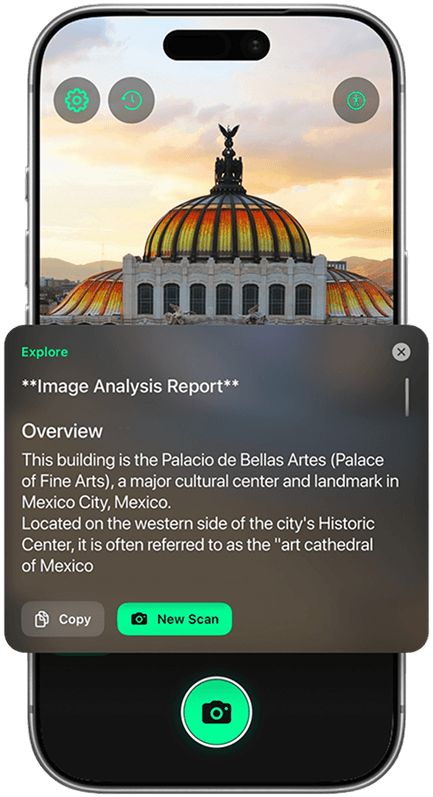
Exploring a new city or just walking a new neighborhood, World Lens helps you recognize landmarks, storefronts, and notable places in front of you.
Identify monuments, attractions, and local places directly from your camera.
Move from recognition to navigation quickly when place information is available.
Use one app to identify places, understand what you are seeing, and keep moving.
World Lens also handles fast utility scans. Open links from QR codes, read menu codes, and detect supported barcodes without leaving the same camera experience.
World Lens lets you go beyond a one-line result. After a scan, ask follow-ups to get clearer explanations, comparisons, and practical details.
Ask simple questions like care tips, safety notes, or usage details right after identification.
The chat uses your captured scene as context, so you spend less time explaining what you scanned.
Ask about signs, objects, or landmarks and get useful context that helps in real situations.
Follow up on previous answers to get clearer recommendations and deeper understanding.
World Lens fits real-world moments: travel, shopping, learning, accessibility, and everyday discovery when you need quick visual context.
Use one camera assistant while traveling: recognize landmarks, translate signs and menus, read labels, and understand unfamiliar places without juggling separate tools.
Use World Lens day to day for product checks, label reading, QR/barcode scans, and quick decisions while shopping, commuting, or managing everyday tasks.
Great for students, makers, and curious minds. Identify plants, art, parts, and unfamiliar items, then ask follow-up questions to learn more in context.
Support accessibility and low-vision needs by scanning printed text, notices, packaging, and mail, then listening with clear read-aloud output.
Find quick answers about features, use cases, and how World Lens helps you understand what you see.
Get World LensWorld Lens is a camera-based visual assistant for iPhone. It helps you identify objects, translate text, read printed content aloud, recognize places, scan QR codes, and ask follow-up questions about what you capture. You can download it from the App Store ↗.
Point your camera at an item or scene and World Lens analyzes visual details to return a likely identification with useful context. You can then ask follow-up questions for deeper understanding and move from quick recognition to practical action.
Yes. World Lens can translate text from menus, street signs, labels, packaging, and printed materials captured through your camera. It is built for real-world translation when you need answers quickly.
Yes. World Lens includes OCR and spoken read-aloud support so you can listen to printed text from real-world scenes, which is especially useful for accessibility and low-vision use cases.
Yes. World Lens can recognize landmarks and places, and for supported results you can continue into Maps for directions and navigation.
Yes. It supports QR code scanning and can detect supported barcodes directly from the camera, so you can open links and act on visual codes without switching apps.
World Lens is useful for travelers, students, shoppers, explorers, and low-vision users, plus anyone who wants a faster way to understand objects and text in everyday life. To get started, download World Lens on iPhone ↗.
Identify unknown objects, translate text, recognize places, read text aloud, scan codes, and ask follow-up questions from one camera-first iOS app.
Requires iPhone or iPad running iOS 15.0 or later.