
Bring Vision to Your Apps - PixLab API Portal

Empower Your Development with PixLab Tools & APIs

Access a robust suite of APIs, including the ID Scan Platform, Vision Language Models, Media Processing APIs, Facial Authentication, Rich PDF Generation, Online Creative Tools and over 150 endpoints. Streamline integration, optimize productivity, and realize your project vision with PixLab's robust AI models.

PixLab logo

Version 2.197 Read Release Notes ↗

About the API Portal

The PixLab API Portal is your starting point for exploring the PixLab ecosystem. It brings together our platforms, tools, SDKs, and ready-to-use products powered by PixLab APIs. Whether you need production-ready solutions like FACEIO, mobile apps, or specific developer endpoints, this portal helps you find the right path quickly.

This page focuses on product discovery. If you need detailed technical docs and implementation examples, go to the Complete API Endpoints Reference.


Empowering Innovation for Thousands of Developers and Businesses

Empowering projects globally with reliable APIs, innovative models, and exceptional performance.

Creative Zone - PixLab Client
Perform Line - PixLab Client
Hub People - PixLab Client
Register Play - PixLab Client
GVIC - PixLab Client
1.5B+

Requests Served

Monthly API traffic ↗ processed globally

99.9%

Uptime Reliability

Built on enterprise-grade infrastructure

150+

Active Endpoints

API Endpoints expanding continuously

Quick Start

From Idea to Production in Under 5 Minutes

Start with a single API key, call one endpoint, and get a working response in minutes. No heavy setup, no complex infrastructure, and no lock-in to one stack.

  1. 1

    Get your API Key

    Sign in to the PixLab Console ↗ and generate your key in a few clicks.

  2. 2

    Pick an Endpoint

    Choose the API endpoint that matches your use case, from OCR and ID parsing to media automation.

  3. 3

    Make a Request

    Send your request and validate the response quickly with cURL, Python, Node, or your preferred stack.

DOCSCAN cURL Example
# Example: ID Scan & Extract (DOCSCAN) - JSON payload
curl -X POST "https://api.pixlab.io/docscan" \
  -H "Content-Type: application/json" \
  -d '{"img":"http://i.stack.imgur.com/oJY2K.png","type":"passport","key":"your_api_key_here"}'

# Response:
{
  "status": 200,
  "face_url": "https://.../cropped-face.jpg",
  "fields": {
    "issuingCountry": "USA",
    "fullName": "Jane Doe",
    "documentNumber": "X1234567",
    "nationality": "US",
    "dateOfBirth": "1992-08-14",
    "dateOfExpiry": "2032-08-14"
  }
}
Tool Directory

Explore the PixLab Ecosystem

Build smarter applications with seamless API integration, tailored for developers, businesses, and creators.

PixLab logo

API Portal

The PixLab API Portal is a quick way to find the right API for your use case and move from testing to production.

PixLab logo

Public API Endpoints

Plug into 150+ endpoints for automation, media processing, and AI-powered product features.

Illustration of PixLab public API endpoints dashboard with API calls, response cards, and workflow nodes
PixLab logo

Document Intelligence & Extraction API

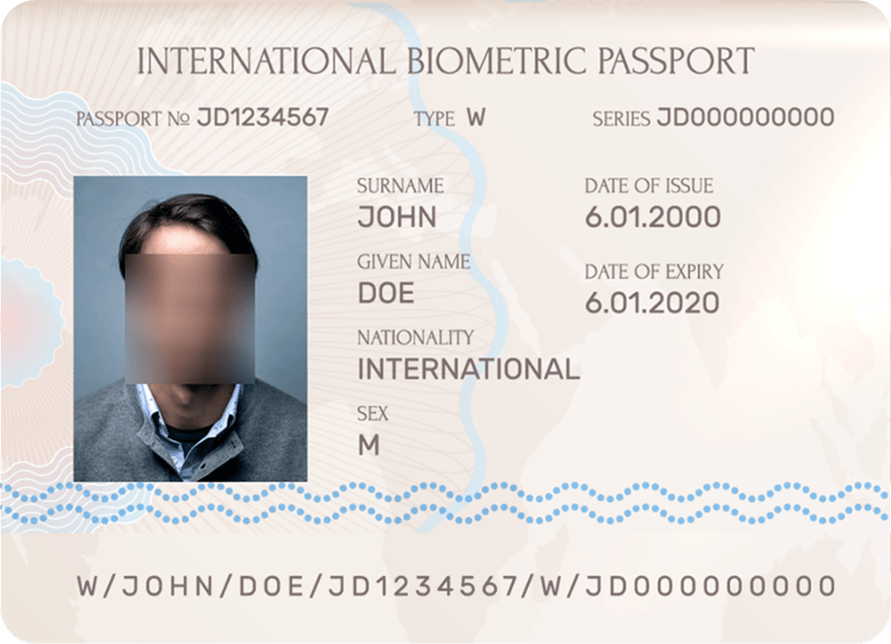
Use ID Scan & Extract API to scan IDs, passports, and driver's licenses with JSON-ready output for KYC and onboarding.

Built for global coverage with support for 11,000+ document types across 197+ countries.

Illustration of document intelligence API extracting structured fields from passports and ID documents
PixLab logo

Media-Rich PDF Generation API

Create invoices, reports, and branded documents with Rich PDF Generation APIs and dynamic template data for scalable business workflows.

PixLab logo

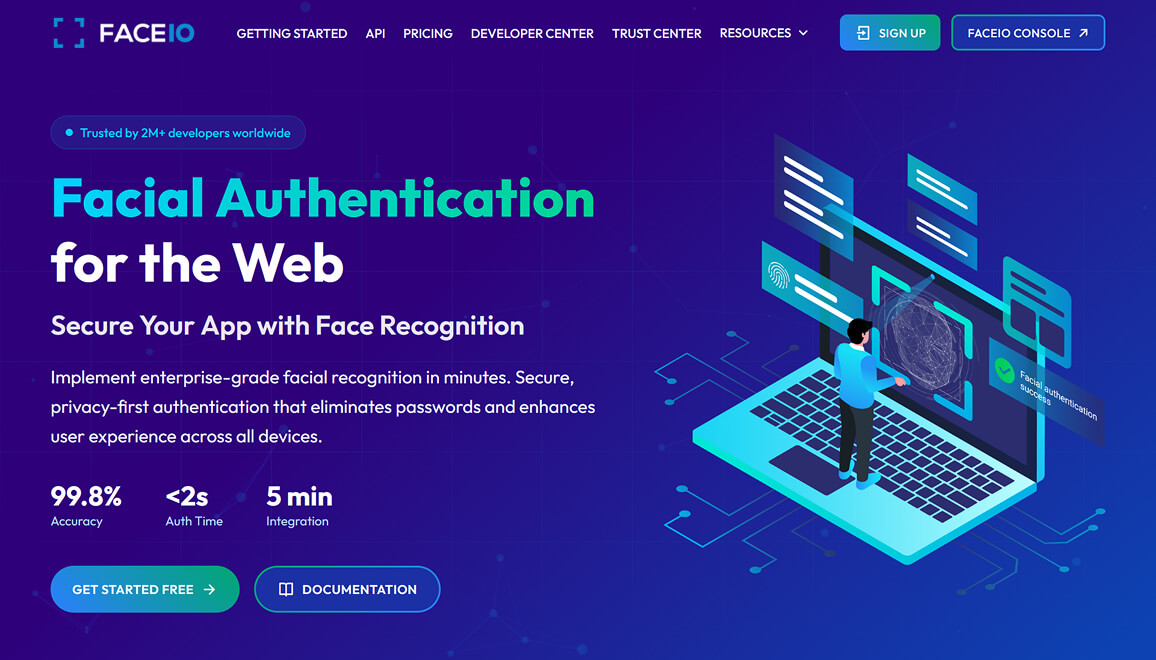
FACEIO - Passwordless Facial Authentication for Web & Apps

FACEIO ↗ by PixLab offers a secure, cross-browser facial recognition SDK for websites and web apps. Easily integrate passwordless authentication to manage sign-ins, user access, and attendance.

  • Facial Authentication: Fast biometric login for web products.
  • Attendance & Access Control: Reliable identity checks for check-ins and controlled access.
  • Passwordless UX: Remove OTP/password bottlenecks and improve completion rates.
  • Age Verification: Add quick age checks for compliance-gated experiences.
  • Liveness Detection: Anti-spoofing protections to reduce fraud risk.

Upgrade your security and user experience with FACEIO ↗, a practical authentication layer for the web.

Illustration of passwordless facial authentication flow for web and app sign-in
PixLab logo

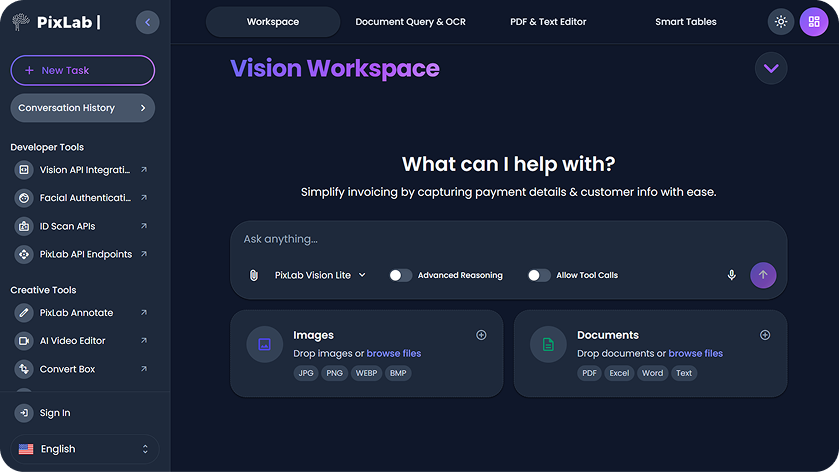
Vision Platform: Workspace, Agents, RAG, OCR, LLM Parse Tools & APIs

Build on Vision Language APIs for OCR, document parsing, extraction, and RAG workflows. Use Vision Workspace ↗ for no-code and assisted workflows.

Extract data from PDFs, images, and spreadsheets, then connect results into broader pipelines via PixLab API Endpoints.

Illustration of vision platform workspace with OCR, document parsing, and RAG workflow panels
PixLab logo

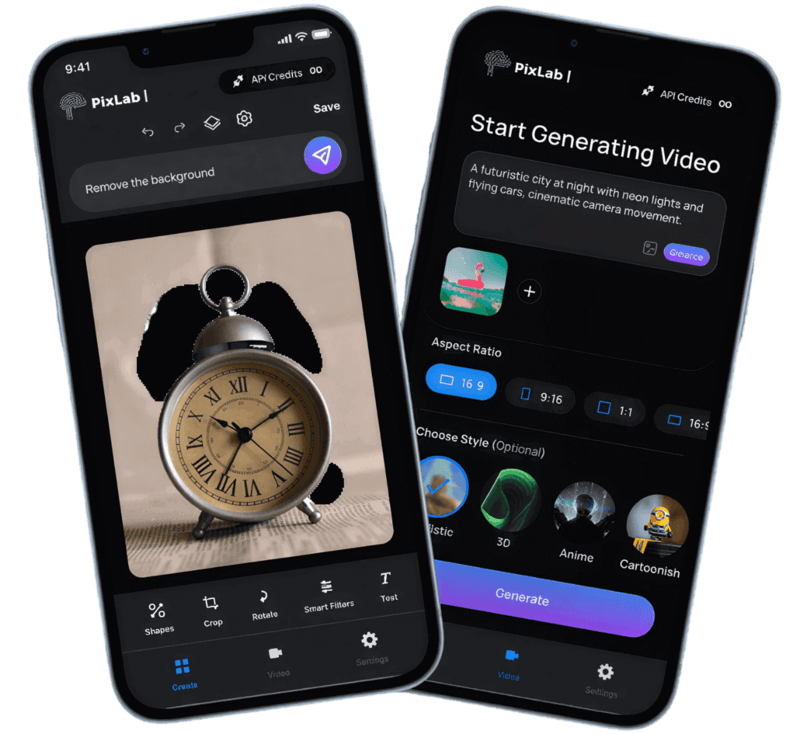
Mobile Apps Hub: Editing, Video, and Document Tools

Explore the PixLab Mobile Apps Hub for practical iOS apps built for visual editing, short-form video creation, and document workflows on the go.

  • Talkie OCR - Scan documents, extract text, and get quick summaries on mobile.
  • iOS Photo Editor - Prompt-based photo editing, retouching, and social-ready exports.
  • iOS Video Editor - Turn prompts, photos, and clips into short videos quickly.
  • DOCSCAN Mobile App - Scan IDs and documents with structured extraction workflows.
  • Mobile Apps Hub - Compare apps and pick the right workflow for your team.
Illustration of PixLab iOS photo editor mobile app for prompt-based editing and content creation
PixLab logo

Creativity Tools

Convert Box ↗ handles 239+ media formats with secure browser-based conversion and no setup. Learn more about Convert Box.

App UI/UX helps teams generate clean, reusable UI code for SwiftUI, Flutter, React Native, and Jetpack Compose.

Prototype faster with App UX Studio ↗ and move from idea to implementation quickly.

PixLab logo

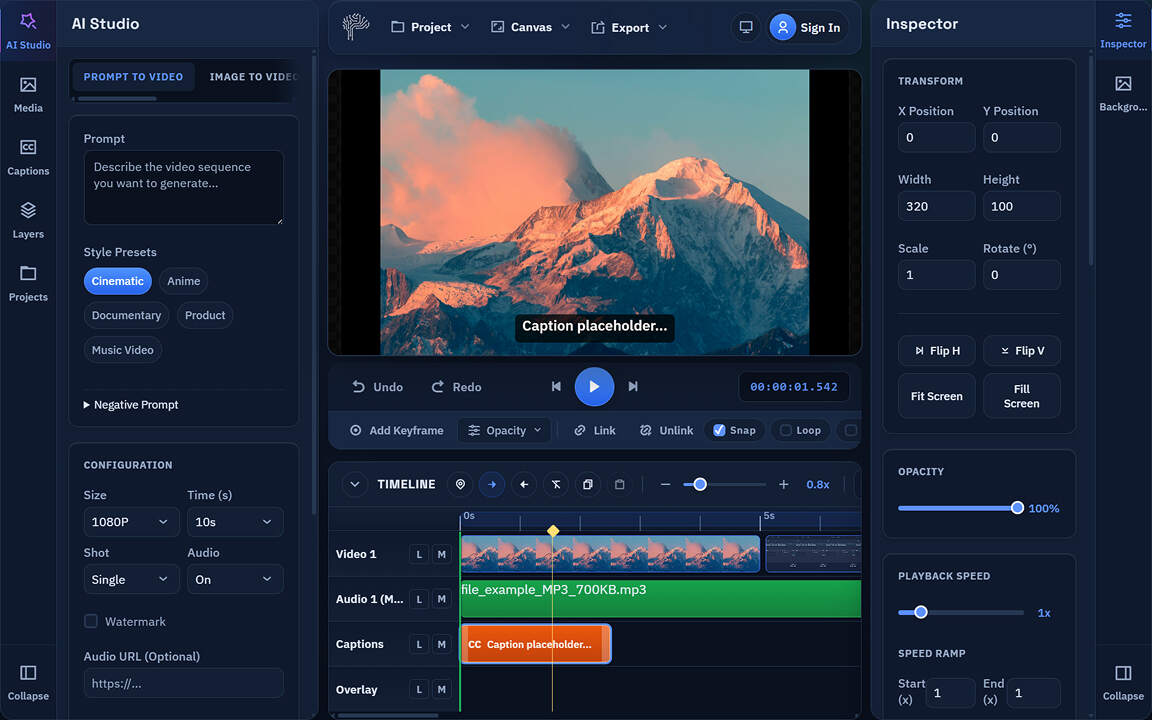
Creator & Developer Toolbox

Create clips with AI Video Editor, remove backgrounds in bulk using BG-REMOVE API or the web app ↗, and speed up design production with Creative Toolbox ↗.

  • AI Video Editor - Browser-first timeline editing, captions, effects, and export. Powered by WebAssembly, WebGL/WebGPU, and PixLab VLM APIs.
  • Batch Background Removal - Clean multiple assets in one pass.
  • Creative Editing Tools - Design, format, and publish visual content faster.
  • Higher Throughput - Fewer manual steps across repetitive media tasks.
Illustration of creative toolbox and batch background removal workflow
PixLab logo

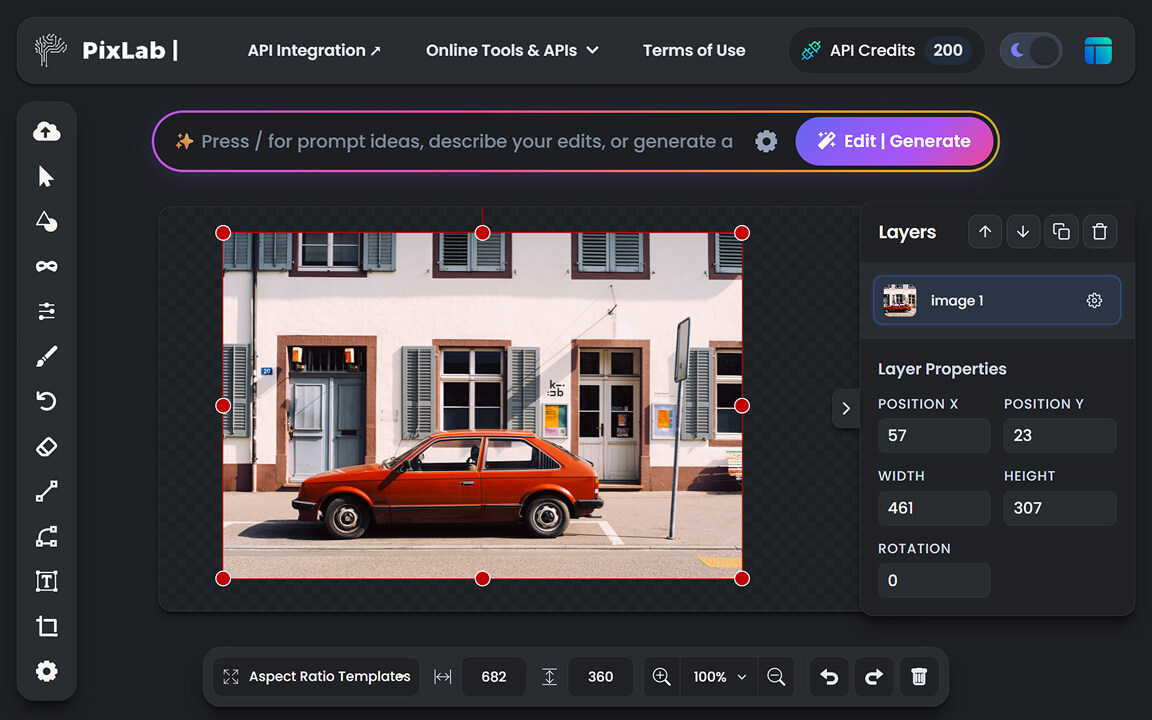
AI Photo Editor

PixLab AI Photo Editor combines editing, logo design, and generative tools in one free browser-based workspace for social media graphics and creative content.

Illustration of browser-based AI photo editor with image enhancement and object removal tools
PixLab logo

Online Creativity Tools

A practical set of web apps for video, design, conversion, annotation, and document-driven productivity.

Preview of PixLab online creativity tools including editing, conversion, and workflow utilities
Build, Innovate, and Scale with PixLab

Empowering Innovators, Developers & Businesses

Use PixLab Tools & APIs with reliable REST APIs to automate ID checks, document parsing, media processing, and authentication in production.

Built for Developers

Add computer vision features with straightforward REST APIs, SDKs, and clear docs. We handle infrastructure so your team can ship faster with fewer dependencies and less operational overhead from prototype to production deployment.

  • Seamless Integration
  • Global Infrastructure
  • Clean JSON Output
  • Developer-first
Start Building

Enterprise Businesses

Use the ID Scan API and Facial Authentication to automate onboarding, reduce manual review, and strengthen compliance checks.

Secure your Business

Digital Creators

Speed up content production with AI tools for image editing and bulk background removal.

Explore Creative Tools
Security & Compliance

Built for sensitive workflows with practical safeguards

If you process IDs, faces, and business documents, you need clear controls around transport, retention, and operational boundaries.

Data handling by design

PixLab is designed to process request payloads for execution and avoid keeping customer files longer than necessary for the API response lifecycle.

Processing Scope Retention Controls Sensitive Inputs

Encrypted API transport

API traffic runs over HTTPS/TLS, helping protect data in transit between your services and PixLab endpoints across public and private networks.

HTTPS/TLS Transport Security Integrity

Compliance-ready workflows

Build GDPR- and CCPA-aligned flows with explicit handling of personal data, access boundaries, and auditable processing steps.

GDPR CCPA Audit Trails

Responsible model boundaries

For regulated use cases, teams can review and enforce data-handling expectations so customer content remains scoped to operational processing.

Policy Controls Request Scope Enterprise Review
FAQ

Common Questions About PixLab APIs

Find clear and concise answers to the most common queries about our tools, APIs, and integrations.

Explore API Endpoints
What is the PixLab API Portal?
The PixLab API Portal is your gateway to powerful APIs designed for developers and businesses. It provides:
How do I access the PixLab APIs?

Sign up on the PixLab Console ↗ to get an API Key. With your API Key in hand, you can immediately access the API documentation, make requests, and integrate robust functionality into your applications seamlessly.

Who can benefit from PixLab Vision?

The PixLab Vision Platform → and the Workspace App ↗ are designed for:

  • Professionals & Businesses: Automate office workflows, extract data, and enhance operational productivity.
  • Developers & Teams: Process large-scale documents, integrate OCR directly into backends, and build advanced features.
  • Creatives & Analysts: Manage spreadsheets, edit text, and extract visual insights effortlessly.
What programming languages are supported?

PixLab APIs are built on HTTP/TLS and securely follow RESTful principles, making them compatible with almost any programming language. Whether you build in Node.js, Python, Ruby, PHP, Go, or Java, we natively support your stack. Code samples are easily available directly within our documentation.

Do you offer SLA's (Service Level Agreements)?

Absolutely! The PixLab Public API Endpoints are designed to handle workloads of all sizes. Standard SLAs are not included in base plans, however enterprise-level clients may request a customized 99.9% uptime Service Level Agreement with Symisc Systems ↗. Please refer to the Console for details.

Can PixLab APIs scale with my business needs?

Yes. PixLab Public API Endpoints are built to support everything from small projects to high-volume production workloads, with stable performance as demand grows.

How can I get support if I need integration assistance?

If you need help, start with the API docs, manage keys and usage in the PixLab Console ↗, or contact us through the support portal for integration guidance.

You're one step closer to adding an intelligent user experience...

Ready to integrate PixLab APIs?

Get Your Free API Key