Mind Mapping for Teams and Planning
Online Mind Map Maker for Clearer Planning
Turn brainstorming, product planning, research, and documentation into clear visual maps. PixLab Mind Map Maker gives teams a fast browser workspace for structuring ideas, connecting topics, and sharing decisions.
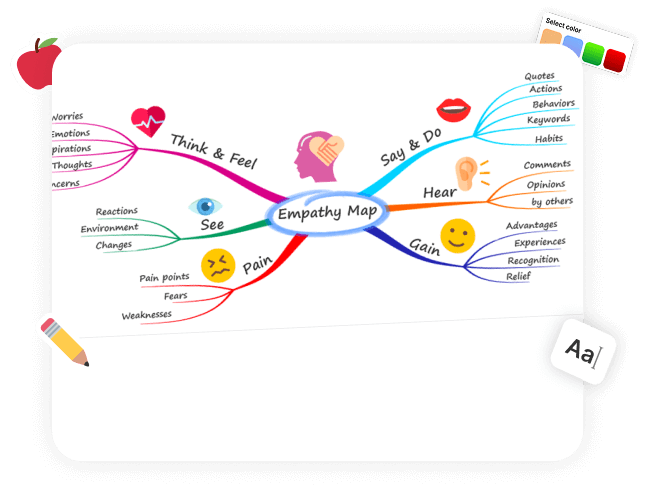
Transform Ideas into Action with PixLab Mind Map
Use PixLab Mind Map to plan projects, outline documentation, map customer journeys, or break down technical systems. It stays simple enough for fast brainstorming while giving teams enough structure to turn loose ideas into work they can act on.
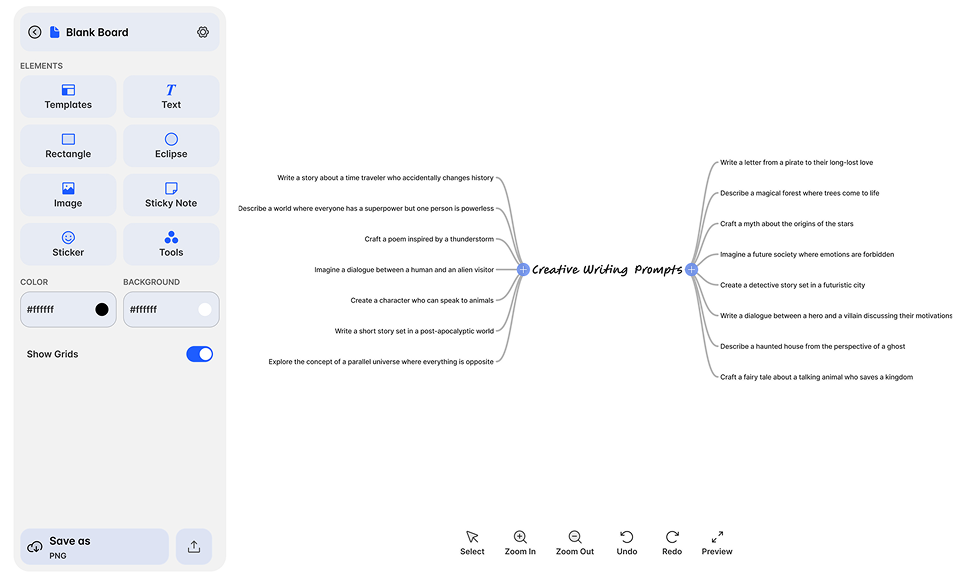
Why Choose PixLab Mind Map?
Built for Fast Planning and Clear Thinking
PixLab Mind Map keeps the workflow lightweight so teams can capture ideas quickly, refine structure, and move from rough concepts to usable plans without fighting the interface.
Drag-and-Drop Interface
Create branches, connect ideas, and reorganize diagrams without friction.
Real-Time Collaboration
Collaborate on shared maps during planning sessions, reviews, and workshops.
Custom Templates
Start with layouts for planning, study notes, strategy sessions, and workshops.
Export Options
Export diagrams as PNG, SVG, or PDF for docs, decks, and handoffs.
Dark Mode Ready
Stay comfortable during longer planning and documentation sessions.
Cloud Autosave
Changes save automatically while you work, so progress is not lost.
One Tool, Endless Use Cases
Built for Product Teams, Educators, and Creators
Use PixLab Mind Map for sprint planning, lesson design, workshop prep, founder notes, and creative outlining without switching between multiple tools.
- Product Planning & Sprint Mapping
- Lesson Planning & Classroom Visuals
- Startup Brainstorming & Pitch Maps
- Creative Writing & Storyboarding


Your Data, Always Protected
Security & Reliability You Can Trust
We take privacy seriously. Files are encrypted when temporary storage is used and removed automatically after 24 hours, helping teams handle planning materials more safely.
- Encrypted File Handling
- GDPR Compliant Infrastructure
- No Persistent Storage Unless You Want It
Design Your Mind Map, Your Way
Flexible Tools for Structured Visual Work
Customize layout, colors, labels, and supporting notes so each map fits the way your team plans. It works just as well for internal strategy sessions as it does for education and personal thinking.
- Start with ready-made layouts for brainstorming, planning, and more.
- Add quick thoughts or reminders to keep track of ideas.
- Personalize your mind map with custom colors and backgrounds.

One Platform. Endless Possibilities
Part of the PixLab Workflow Stack
PixLab Mind Map fits alongside PixLab Photo Editor and Vision Workspace, so teams can move from planning to visual editing, annotation, and asset handoff without rebuilding the workflow from scratch.
- Image editing for supporting visuals
- Shared workspace context across PixLab tools
- Export-ready diagrams for docs and presentations
How to Get Started?
Open PixLab Mind Map Maker
Open the browser app and start mapping ideas immediately with no heavy setup flow.
Add Your First Node
Create the first node and capture the core idea, topic, or workstream.
Connect And Organize
Add branches, connect related topics, and shape the structure as the map grows.
Customize Your Mind Map
Adjust colors, layouts, and supporting notes to match your team or project workflow.
Export And Share
Export the finished map for sharing, documentation, planning decks, or handoff notes.

Key Features & Benefits
Fast Visual Editing
Create and manage complex maps quickly without a heavy diagramming learning curve.
Collaboration Tools
Work with teammates in real time during planning, review, and knowledge-sharing sessions.
Template Library
Start faster with reusable layouts for brainstorming, education, product planning, and workshops.
PixLab Integration
Use mind maps alongside PixLab Photo Editor and Vision Workspace as part of a broader visual workflow.
Frequently Asked Questions
Do I need to sign up to use PixLab Mind Map Maker?
No. You can open the app and start creating mind maps right away for core planning and brainstorming workflows.
What customization options are available?
You can adjust colors, backgrounds, and node shapes, including rectangles, ellipses, and sticky-note styles.
Can I use templates for my mind maps?
Yes. PixLab Mind Map Maker includes ready-made templates for brainstorming, planning, study workflows, and workshop sessions.
What file formats can I export my mind maps in?
You can export mind maps for sharing and presentations. The current workflow supports common visual export use cases such as PNG output.
Is PixLab Mind Map Maker free to use?
Yes, you can use the tool for free with all core features.
Start Your Next Mind Map
in Minutes.
Map product ideas, research notes, lesson plans, and workshop structure in one browser-based workspace built for fast visual thinking.