PixLab Vision Platform Think · Understand · Act

AI that understands the work and helps you act on it

PixLab provides Think-Act and Vision Workspace alongside OCR, vision-language, document-processing, and DocScan APIs—helping teams turn visual and document content into useful, reviewable results.

Start with the desktop agent, use Vision Workspace in the browser, or integrate the underlying APIs directly.

Think-Act product screenshot

Placeholder for the main Think-Act product visual.
A connected platform

Think-Act brings desktop work, document intelligence, and vision together

Think-Act coordinates desktop work. The surrounding PixLab services handle document parsing, supported identity documents, browser-based analysis and programmatic vision tasks.

Bring in context

Screenshots & images

Visual context already on the desktop

Documents & scans

PDFs, receipts, forms, contracts

Recorded processes

Walkthroughs and bug reproductions

Selected or supplied text

Drafts, notes, messages, and instructions

Agentic Center

Think-Act coordinates the desktop workflow.

Understand the relevant context, plan the next step, use enabled capabilities, pause when approval is required and keep supported activity visible for review.

Context

Source material

Scope

Enabled tools

Gate

Approval policy

Review

Visible activity
View the desktop workspace

Products can be used independently. The value of the platform is that the same document and vision capabilities can support desktop workflows, browser workflows and developer-built applications.

Try Think-Act Now
Think-Act capabilities

Start with the tool you need. Use the agent when the task spans them

Rewrite text directly, inspect a document, or record a process on its own. Move into the Desktop Agent when a task needs several capabilities or connected tools to work together.

Desktop Agent

Run a bounded multi-step task

Give Think-Act a clear outcome, relevant files or screenshots and any limits it should follow. It uses the capabilities available to the run and keeps supported activity visible.

A run can include

  • Plain-language task input with source context
  • Only the connectors you explicitly enable
  • Approval gates before consequential actions
  • Inspectable execution log after the run
  • Optional success criteria to verify the result
  • Save a proven workflow as a reusable local skill
Automation guide

Writing Assistant

Draft, rewrite and summarize without losing the source

Start with selected or copied text, a document or another checked source, then review the resulting draft before using it.

Explore writing assistance

OCR & document intelligence

Turn visual documents into working context

Work with supported screenshots, scans, image-based PDFs, receipts, invoices, contracts and forms, then review extracted text or fields against the source.

Explore document intelligence

Screen Recorder

Capture the process, not just the final screen

Record a repeated desktop process with optional narration, then use the reviewed recording as context for an SOP, checklist or bug report.

Explore screen recording

Reusable local skills

Keep a workflow only after it proves useful

Save a reviewed workflow with its prerequisites and expected result when repetition is worthwhile. A skill can guide future runs, but it cannot bypass missing tools or permissions.

Explore skills & integrations
Agentic workflow

A controlled path from request to reviewed result

Think-Act's agent works through bounded steps. You provide the task and material, the agent uses only the tools enabled for that run, pauses when approval is required, and delivers visible results you can inspect before deciding what happens next.

Agent workflow screenshot

Placeholder for a future Agent workflow screenshot.
  1. 01

    Input

    Define the task and provide the source files

    Give Think-Act a specific outcome, the documents it should use, and a clear stopping point. For example: compare an invoice with its purchase order and list anything that needs review.

    Invoice PDF Purchase order Review criteria
  2. 02

    Understanding

    Read and compare the documents

    OCR and document tools can make scanned text and fields usable for the task. Think-Act can then compare the relevant values and keep the source material in context.

    Example: compare totals, tax, dates, vendor details, and line items.

  3. 03

    Execution

    Work with the enabled skills and tools

    The Desktop Agent uses only the capabilities available to that run. If a required tool or connection is unavailable, the workflow should surface that limitation instead of silently assuming access.

  4. Human decision

    Ask before taking a controlled action

    When the configured policy requires approval, Think-Act pauses before supported actions such as changing a file, sending information, or calling an external system. Each action can be allowed, confirmation-required, or blocked.

    Allow Ask Block
  5. Review

    Review the findings and execution record

    Inspect the comparison, supporting observations, and workflow log. Confirm important differences against the invoice and purchase order before using the result or starting another action.

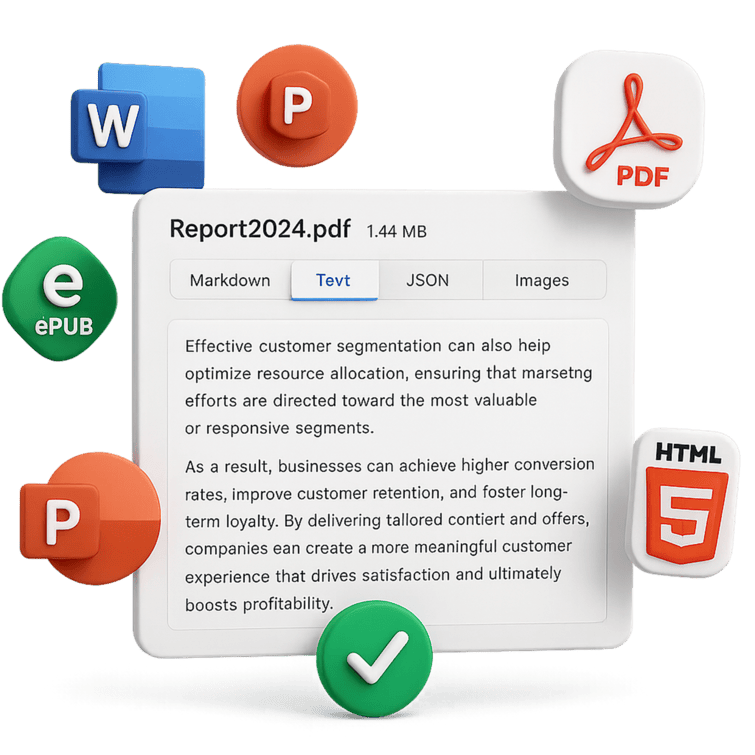
Illustration of PDF, Word, presentation, HTML, and EPUB files being converted into structured text and JSON
Prepare varied document formats for search, extraction, RAG, and downstream agent tasks.
LLM & Data Parse APIs

Document intelligence for agentic workflows

PixLab's LLM Parse Service transforms raw documents into structured, machine-readable content ready for retrieval-augmented generation, custom AI applications, and agent tasks. It handles multi-format inputs and produces output directly compatible with LLM frameworks.

  • OCR, layout analysis, and document segmentation
  • Chunking, embeddings, and RAG pipeline support
  • Structured extraction from PDFs, Excel, Word, and HTML
  • Feeds cleanly into external LLM frameworks and tools

Supported formats: PDF, DOCX, PPTX, XLSX, HTML, JPEG, EPUB, and more

DocScan — ID Document Scanning

Structured data from supported ID documents

PixLab DocScan is an SDK-free REST API for scanning and extracting structured identity data from passports, driver's licences, national IDs, visas, and residence permits across 200+ countries and territories. It returns JSON you can use directly in KYC, onboarding, and document verification workflows.

200+ countries & territories

Including MRZ and non-MRZ documents

Privacy first

In-memory processing, no image retention

Structured JSON output

Name, DOB, document number, expiry, and more

Any language, no SDK

Plain REST — works with any HTTP client

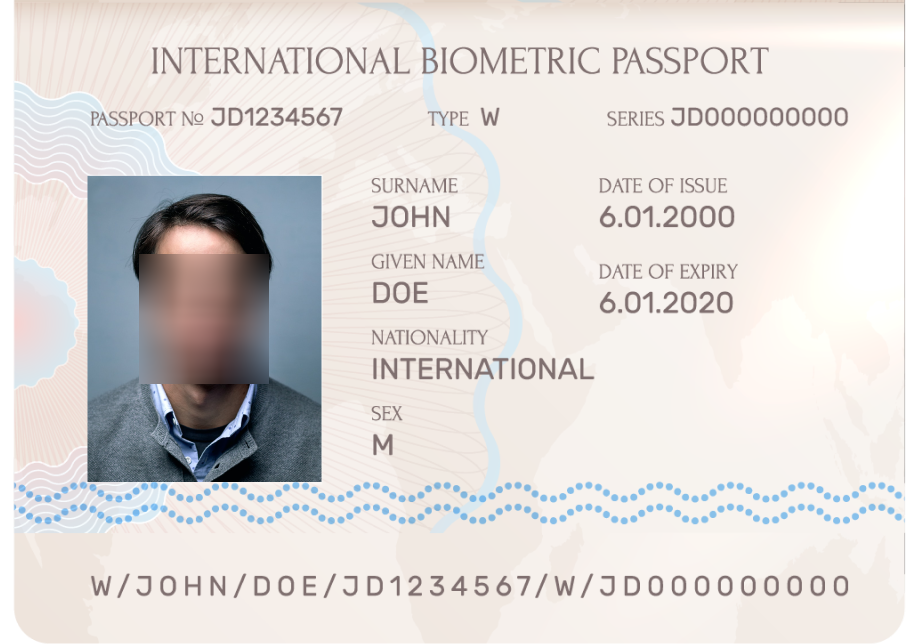
Document input Sample passport
Sample biometric passport template used as DocScan input
Structured output JSON response
{
  "type": "PASSPORT",
  "face_url": "https://s3.amazonaws.com/media.pixlab.xyz/24p5ba822a00df7f.png",
  "mrz_img_url": "https://s3.amazonaws.com/media.pixlab.xyz/24p5ba822a1e426d.png",
  "mrz_raw_text": "P<UTOERIKSSON<<ANNA<MARIA<<<<<<<<<<<<<<<<<<<<<<<\nL898902C36UTO7408122F1204159ZE184226B<<<<<10",
  "fields": {
    "issuingCountry": "UTO",
    "fullName": "ERIKSSON ANNA MARIA",
    "documentNumber": "L898902C3",
    "checkDigit": "6/2/9/1",
    "nationality": "UTO",
    "dateOfBirth": "1974-08-12",
    "sex": "F",
    "dateOfExpiry": "2012-04-15",
    "personalNumber": "ZE184226B",
    "finalCheckDigit": "0"
  },
  "status": 200
}
Sample passport input transformed into a structured DocScan JSON response.
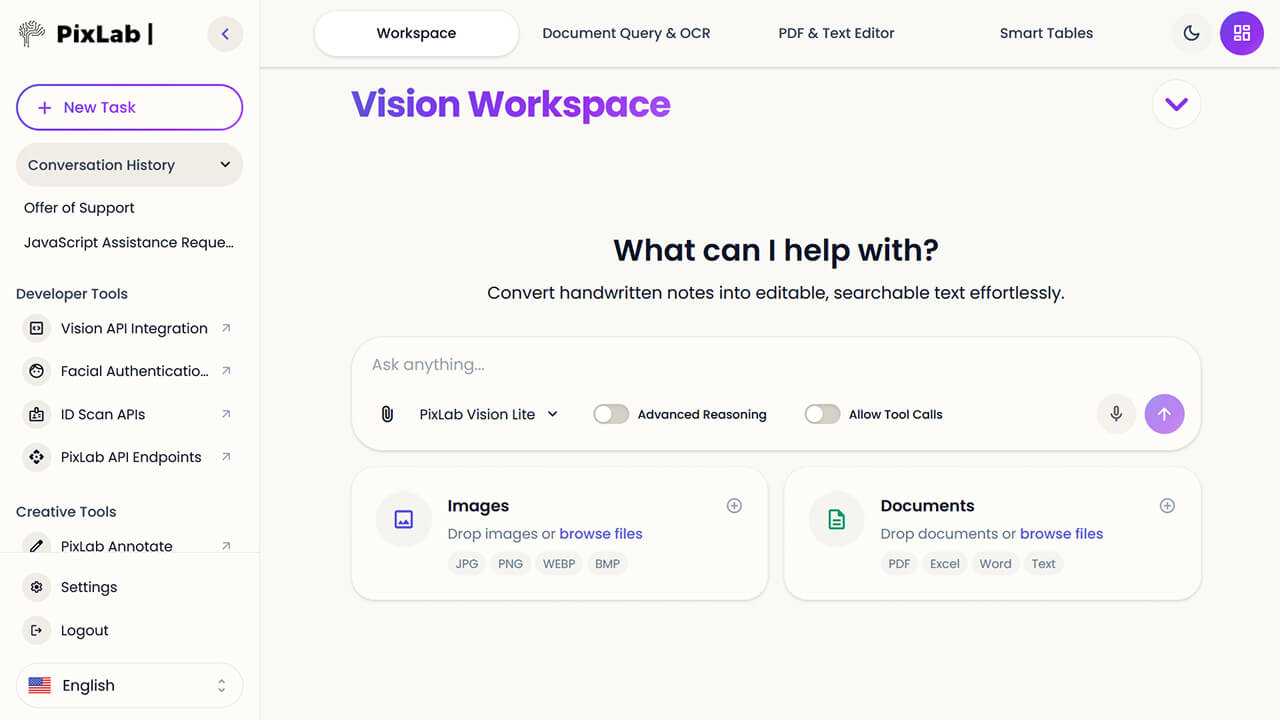
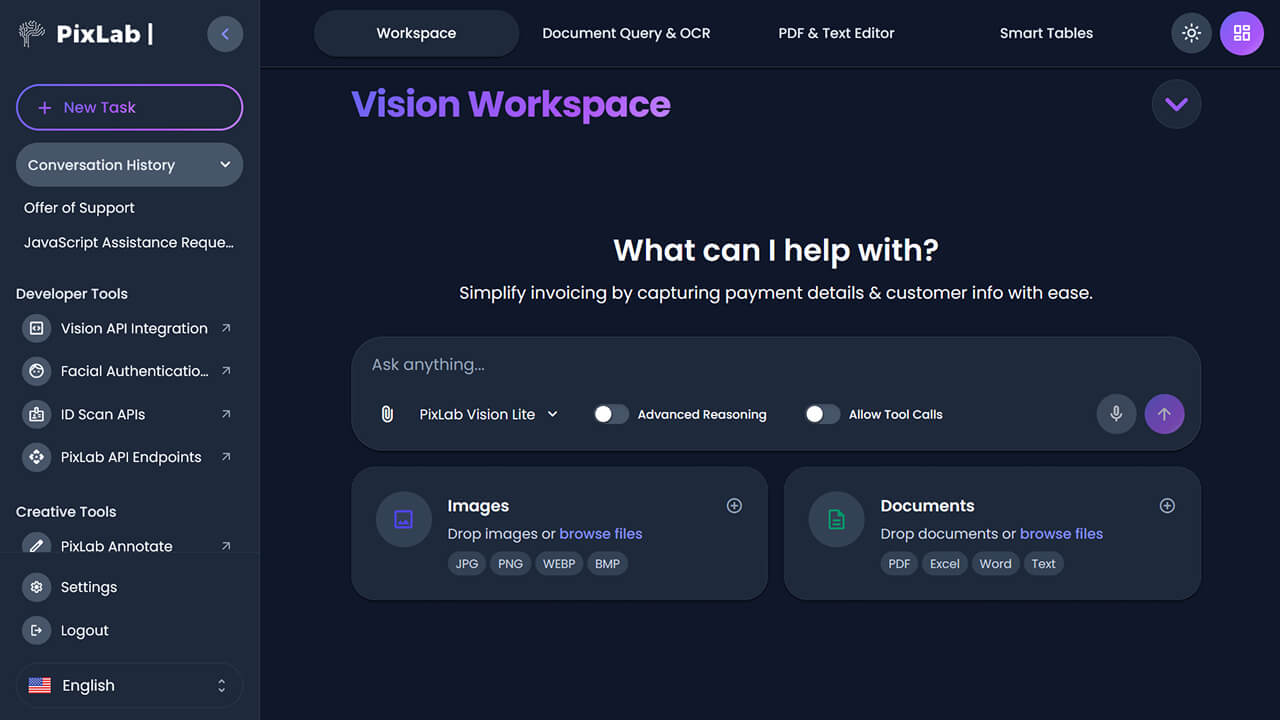
PixLab Vision Workspace browser interface for document queries, OCR, editing, and smart tables
Vision Workspace provides interactive document and vision tools in the browser.
Vision Workspace

AI-powered document work in your browser

Vision Workspace is PixLab's browser-based productivity suite. Extract data from PDFs, images, and spreadsheets. Chat with documents using RAG-powered conversation. No installation required.

  • OCR for scanned documents and images
  • RAG-powered document chat — ask questions about your files
  • Data extraction from PDFs, spreadsheets, invoices, and forms
  • Runs entirely in a browser — no software to install
Practical workflows

Start with work you already need to finish

Useful agentic AI does not need to begin with a giant autonomous process. Start with bounded document, writing and process workflows where the source and expected result are clear.

Review PDFs and scans

Extract searchable text, summarize relevant sections, and keep the source available for verification.

Document workflows

Extract structured data

Pull required fields into a table or machine-readable result and flag anything unclear instead of silently guessing.

LLM parsing tools

Write, rewrite, and summarize

Prepare a clearer draft from selected text, a document, meeting notes, or other supplied context.

Writing assistance

Turn recordings into SOPs or bug reports

Capture a workflow or reproduction, generate a draft procedure, and verify the documented steps against the recording.

Operations workflows

Create repeatable internal workflows

Document prerequisites, checks, and expected output, then save a proven method as a reusable local skill.

Skills and integrations

Build a document workflow into an application

Use OCR, parsing, DocScan or vision-language APIs as explicit application steps.

Vision API reference
Security and human control

Know what is available, what needs approval, and what happened

Think-Act limits automation through explicit tool availability, configurable action policies, and reviewable activity. The agent cannot use a tool you have not installed and enabled.

Enable only what the task needs

Connectors not available to a run cannot be used by it.

Allow, ask, or block per action

Set each supported action type according to its impact.

Review what the agent did

Inspect tool calls, results, and observations after a run.

Unavailable connectors cannot be used

They stay unavailable until the connection is restored and enabled.

Approval Controls Screenshot

Placeholder for a future Approval Controls Screenshot.

Recommended starting policy

Allow

Read selected content

Ask

Create or change files

Ask

Send or publish

Block

Delete or risky commands

For developers

Build agentic document intelligence into your applications

Use PixLab's APIs for document parsing, OCR, layout understanding, structured extraction, DocScan, and vision-language workflows when your own product needs to process visual or document input programmatically.

LLM Parsing & RAG preparation

Segment, chunk, and embed documents. Feed clean, structured content into your LLM framework or retrieval pipeline.

Learn more about LLM parsing

VLM & Vision API endpoints

Query images and documents with Vision Language Models. Extract structured data, summarize content, and build visual understanding into your product.

Learn more about Vision APIs

DocScan REST API

Scan and extract structured JSON from supported ID documents using a single HTTPS call. No SDK. Works from Python, Node.js, PHP, Java, Go, and any other HTTPS-capable language or framework.

Learn more about DocScan
DOCSCAN cURL Example
# Example: ID Scan & Extract (DOCSCAN) - JSON payload
curl -X POST "https://api.pixlab.io/docscan" \
  -H "Content-Type: application/json" \
  -d '{"img":"http://i.stack.imgur.com/oJY2K.png","type":"passport","key":"your_api_key_here"}'

# Response:
{
  "status": 200,
  "face_url": false, # URL output requires your configured S3 bucket
  "fields": {
    "issuingCountry": "USA",
    "fullName": "Jane Doe",
    "documentNumber": "X1234567",
    "nationality": "US",
    "dateOfBirth": "1992-08-14",
    "dateOfExpiry": "2032-08-14"
  }
}
FAQ

Questions about Think-Act and PixLab Vision

Clear answers about product roles, human control, integrations, and developer access. Can't find the answer you need? Contact support.

What is Think-Act, and what is it designed to help with?

Think-Act is PixLab's Windows desktop AI workspace for writing assistance, OCR and document review, screen recording, local skills, and bounded multi-step tasks. It is designed to keep work visible and reviewable—not to operate as an uncontrolled autonomous agent.

How does Think-Act connect with the rest of PixLab Vision Platform?

Think-Act is the desktop agent at the center of the platform. PixLab's LLM and document-parsing APIs prepare and structure content, DocScan processes supported ID documents, Vision Workspace provides browser-based tools, and Vision APIs bring image and document understanding into applications. See how these parts fit together in the connected platform overview.

How much control do I keep over a Think-Act workflow?

You define the task and choose which supported tools are available. Configured action policies can allow an action, require confirmation, or block it. Think-Act also provides workflow activity and results for review, and important output should be checked before use. Read more about Think-Act security and approval controls.

Do I need integrations or connectors to get started with Think-Act?

Not for every task. Writing assistance, OCR and document review, screen recording, and local skills can be useful without external connectors. A workflow that needs another application or service requires the relevant supported integration to be installed, connected, and enabled. Review the difference between local skills and integrations.

When should I use Vision Workspace instead of Think-Act?

Use Vision Workspace when you want browser-based OCR, document processing, document chat, and vision tools without a desktop-agent workflow. Use Think-Act when the work belongs in a bounded, reviewable desktop task that may span enabled tools.

What is DocScan designed to process?

DocScan is PixLab's REST API for scanning supported ID documents and returning normalized fields as structured data. It is intended for identity-document capture and extraction workflows, not general-purpose document parsing.

Which PixLab APIs are available for developers?

PixLab provides APIs for LLM-ready document parsing, OCR, document segmentation, structured extraction, DocScan, and vision-language analysis. These services can be used independently of the Think-Act desktop product. Start with the Vision API reference or explore the LLM and parsing APIs.

Choose your next step

Start with the product that fits the work

Use Think-Act for controlled desktop work, Vision Workspace for interactive document workflows, or PixLab's APIs when the capability belongs inside your application.